Outputs
Outputs represent timecode signals that Timecode Toolbox sends out to external devices or other software. They can be connected to either inputs that receive timecodes from external sources, or generators that generate timecodes internally.
Supported Protocols
Currently TimecodeToolbox supports the following outputs:
Art-Net Timecode
Open protocol by Artistic license: art-net.org.uk
More details on how to use Art-Net Timecode
LTC (Linear Timecode)
Audio-based SMPTE protocol widely supported by software and hardware devices.
MIDI Timecode / MTC
Open SMPTE protocol widely supported by software and hardware devices.
More details on how to use MIDI Timecode
Linking to inputs and generators
By default, outputs aren't linked to any inputs or generators, so they won't be sending any timecode until you link them to a source.
To link an output:
-
Click either the
 or the
  to switch to link mode on the output you want to link.
 -
Then click the input or generator you want to link the timecode to.
-
You will then be able to see the details of which input or generator is connected under the name of the output:
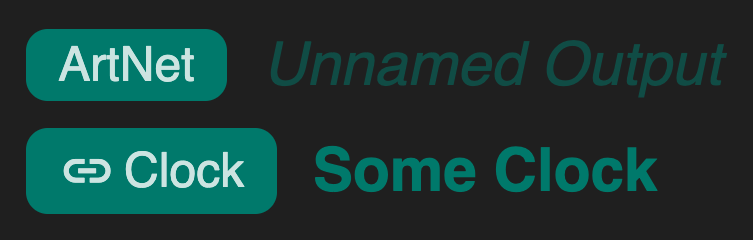
To unlink an output:
- Click the
button on the output.
- Click on the output itself to unlink it from its source.
- This will change the
button back to a .