
MIDI Outputs
The primary use-case for configuring MIDI Outputs in Arcane is to send Note or
Control Change MIDI messages while operating the
Spell Casting interface,
taking into account what parts of a track you have linked to which
Output Groups, the current Timecode Signals and timing
information from Spell files.
This allows you to strike a balance between traditional busking workflows and full timecoding, controlling only the MIDI messages that require precise timing.
From the MIDI Settings page:
- Go to
Settings->MIDI - Click
Add MIDI Output - Configure the output as desired, specifying:
- The device to send MIDI messages to.
- Whether there should be any delay applied before sending the messages to this device.
- And how many
FPSmessages should be sent at.
- Configure the bindings (messages) you want to send to this device (see below).
MIDI Output Bindings
For each message you would like to send,
click Add binding,
which will add a row to the table allowing you to configure that specific message.
It's important to note the difference in how Notes & CC messages behave:
-
Note messages act like on/off triggers, only sending messages when a layer has just encountered an event or CUE.
-
Control Change messages are only sent for layer events with envelopes, and don't send messages for CUEs.
They will continuously send new messages at the configured
FPSwhile they are encountering envelopes whose values are changing, messages aren't sent for adjacent frames where the value remains the same.
While configuring your bindings,
we recommend clicking Monitor Messages
to watch which messages are being sent in real-time.
You will need to configure a specific Output Group for each message you configure, and can optionally also choose to configure a Segment. If no segment is configured, messages will be sent for every CUE / event encountered by the configured output group.
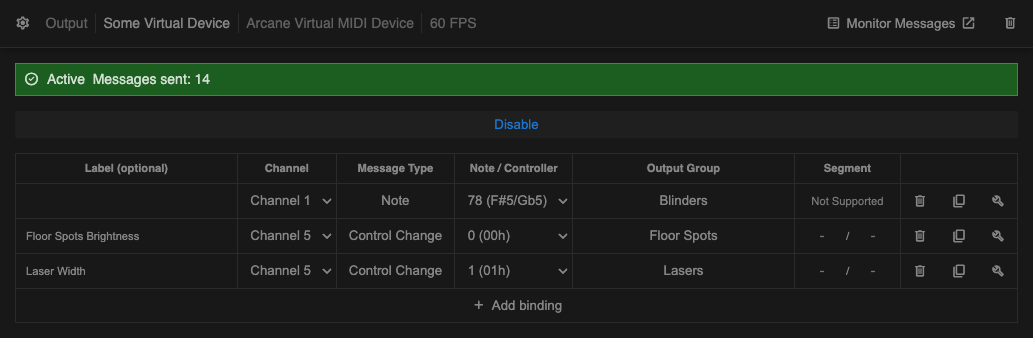
Screenshot of the MIDI output device configuration
Testing your binding
There are 2 ways you can test to ensure that a binding is configured properly:
- Toggling
Lock to Max Valuefor the assigned Output Group from the Spell Casting interface. - Clicking
Test Bindingbuild to open a dialog window to test sending specific values for this message.
Note, while
Test Bindingbuild is active, the connected Output Group is ignored.
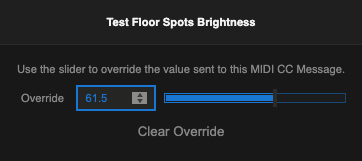
Screenshot of the dialog for testing a MIDI CC message
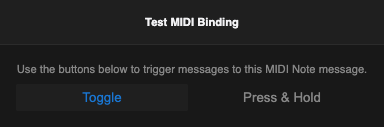
Screenshot of the dialog for testing a MIDI Note message